

As a supplier of lithium AAA rechargeable batteries, I understand how frustrating it can be when your batteries won't charge. In this blog post, I'll share some troubleshooting steps to help you get your batteries back up and running.
Check the Charger
The first thing you should do is check the charger. Make sure it's properly plugged into an outlet and that the charging cable is securely connected to both the charger and the battery. If the charger has an indicator light, check to see if it's on. If it's not, there may be an issue with the charger itself.
Try using a different charger to see if that solves the problem. If you don't have another charger on hand, you can purchase one from a local electronics store or online. Make sure to choose a charger that's compatible with your lithium AAA rechargeable batteries.
Inspect the Batteries
Next, inspect the batteries themselves. Look for any signs of damage, such as cracks, dents, or leaks. If you notice any damage, it's best to replace the batteries immediately. Damaged batteries can be dangerous and may not charge properly.
Clean the battery contacts with a dry cloth or a cotton swab dipped in rubbing alcohol. Over time, dirt and debris can build up on the contacts, preventing the batteries from charging. Make sure to remove any corrosion or oxidation from the contacts as well.
Check the Battery Compartment
If the batteries are still not charging, check the battery compartment in the device you're using. Make sure it's clean and free of debris. If there's any dirt or corrosion in the compartment, clean it with a dry cloth or a cotton swab dipped in rubbing alcohol.
Check the battery contacts in the compartment to make sure they're not bent or damaged. If they are, you may need to straighten them or replace the battery compartment.
Try a Different Device
If you're still having trouble charging the batteries, try using them in a different device. Sometimes, the problem may be with the device itself rather than the batteries or the charger. If the batteries charge properly in a different device, then the issue is likely with the original device.
Consider the Battery Age
Lithium AAA rechargeable batteries have a limited lifespan. Over time, they may lose their ability to hold a charge. If your batteries are several years old, it's possible that they're simply worn out and need to be replaced.
Most lithium AAA rechargeable batteries can be recharged hundreds of times before they start to degrade. However, factors such as temperature, charging habits, and usage patterns can affect the lifespan of the batteries. If you've been using your batteries frequently or in extreme temperatures, they may not last as long.
Contact the Manufacturer
If you've tried all of the above troubleshooting steps and your batteries still won't charge, it's time to contact the manufacturer. They may be able to provide you with additional support or replacement batteries.
When contacting the manufacturer, make sure to provide them with as much information as possible, including the model number of the batteries, the charger you're using, and any error messages or symptoms you're experiencing. This will help them diagnose the problem more quickly and provide you with the best solution.
Other Rechargeable Battery Options
In addition to lithium AAA rechargeable batteries, we also offer a variety of other rechargeable battery options, including the 18650A Battery, Lithium Ion D Cell Rechargeable, and Rechargeable Lithium 123. These batteries are designed for a wide range of applications and offer high performance and long-lasting power.

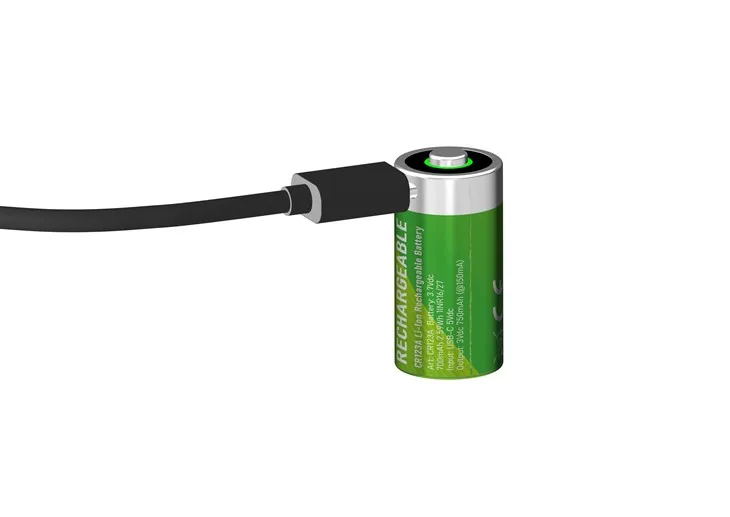
If you're interested in learning more about our rechargeable battery products or have any questions about troubleshooting, please don't hesitate to contact us. We're here to help you find the best battery solution for your needs.
Conclusion
Troubleshooting lithium AAA rechargeable batteries that won't charge can be a frustrating process, but by following the steps outlined in this blog post, you should be able to identify and resolve the issue. Remember to check the charger, inspect the batteries, clean the battery contacts, and try a different device. If all else fails, contact the manufacturer for additional support.
If you're in the market for high-quality rechargeable batteries, we invite you to explore our product offerings. Our lithium AAA rechargeable batteries and other rechargeable battery options are designed to provide reliable performance and long-lasting power. Contact us today to learn more about our products and to discuss your specific needs. We look forward to working with you!
References
- Battery University: A comprehensive resource for battery information and technology.
- Manufacturer's documentation: Check the user manual or product specifications for your batteries and charger for specific troubleshooting instructions.
- Online forums and communities: There are many online forums and communities where you can find helpful tips and advice from other battery users.